
WeChat Registration
Introduction
Use WeChat scan QR code to register, which is more convenient and faster.
WeChat Registration
Click the "Login" button, and the page will redirect to open the login page in the browser.
Note: If clicking login does not automatically open the browser or load the login address, please manually start the browser and directly paste the address in the address bar. Please note that the login address has been copied to the clipboard, and can be used directly by pasting.

- Click "Register Now"
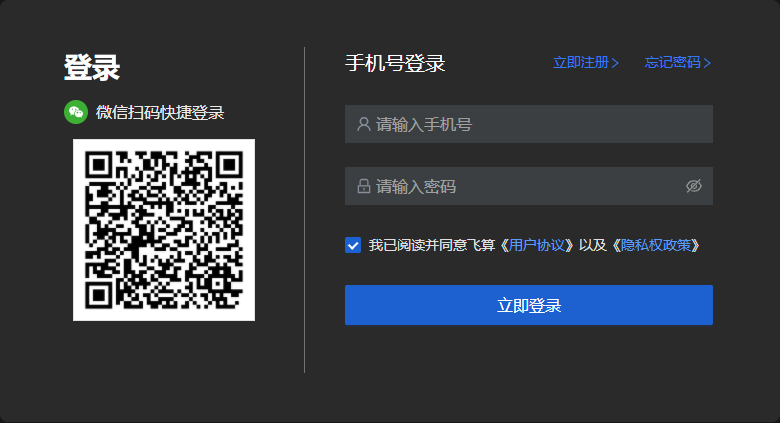
- Select "WeChat Registration", open the WeChat APP, scan the QR code on the screen, then confirm authorization login on the WeChat end.

After confirming login, enter the binding phone number.
Note: Both phone number registration and WeChat registration require associating a phone number. The same phone number can only be associated with one of the methods. The resources of phone number registration and WeChat registration are not interoperable. When using WeChat registration, you need to provide a phone number that has not been registered with phone number registration.
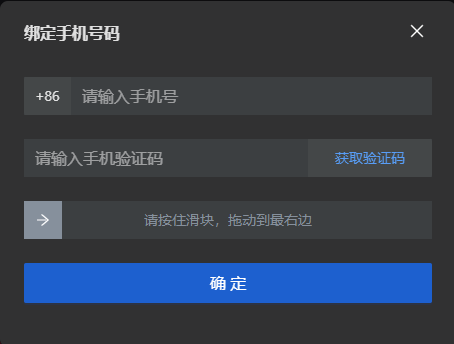
- Finally, click the "Register" button.