Java Web Project
Introduction
The intelligent-guided Java Web project now supports two modes. The operations in Steps 1 to 3 are identical in both modes. The main differences appear in Steps 4 and 5. With the new mode, users can enjoy a more flexible and task-goal-focused code generation experience.
Java Web Project (New Version):
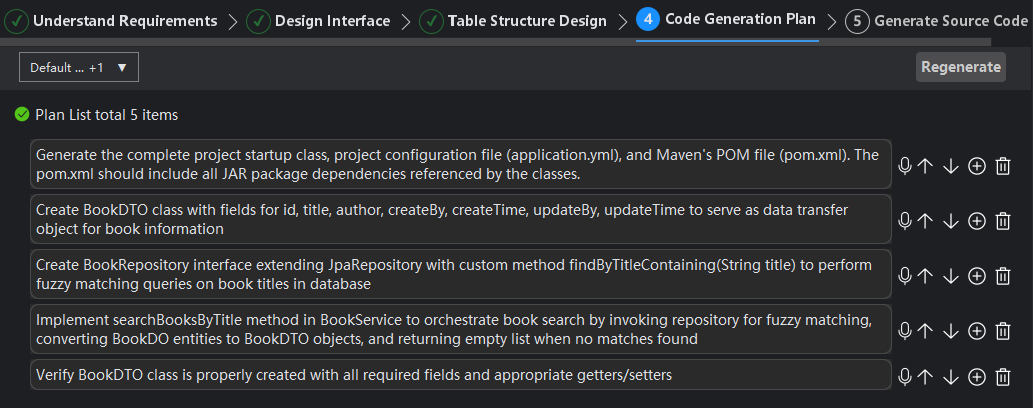
- Step 4: Generate a task plan list, clearly showing the number of required APIs and their corresponding functionalities.
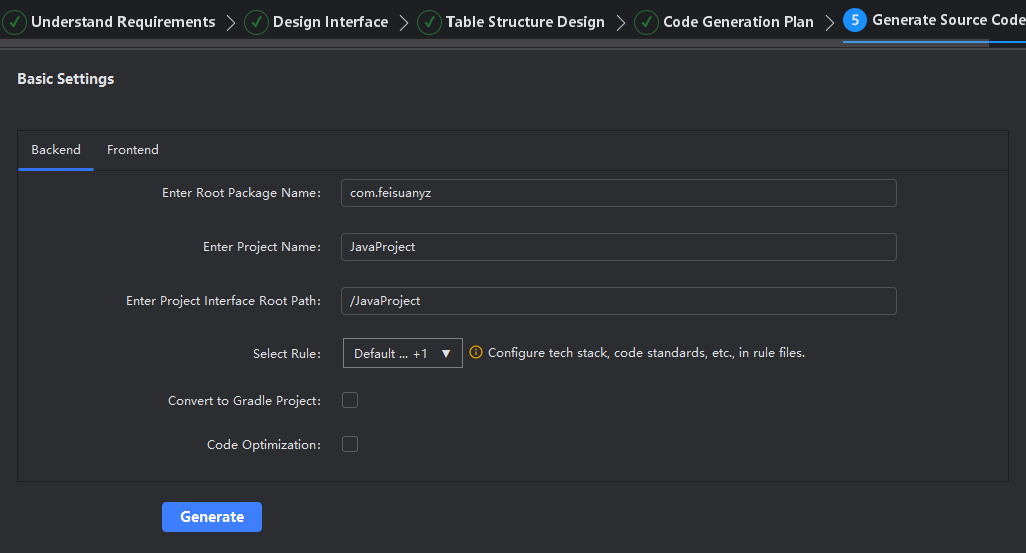
- Step 5: Directly generate complete source code files, without module-based segmentation.
Java Web Project (Legacy Version):
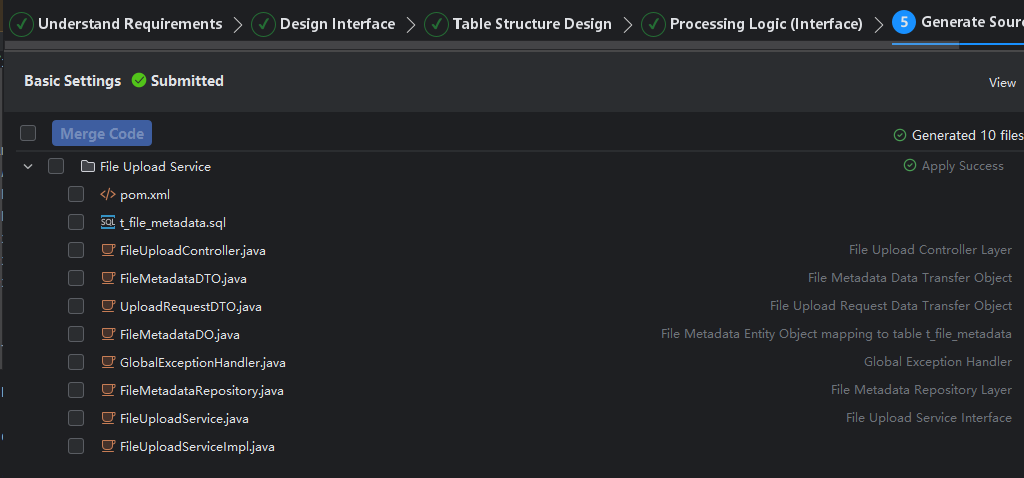
- Step 4: Generate interfaces according to predefined modules one by one, and directly display the implementation logic for each interface.
- Step 5: Generate corresponding source code files based on the module structure defined in Step 4.
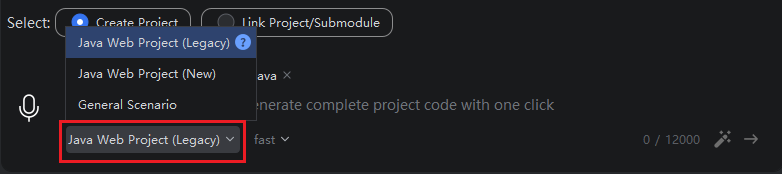
Java Web Project (New Version)
- Step 4: Code generation plan, displaying the number of planned tasks and their implemented functionalities.
- Step 5: Directly generate the corresponding source code files containing all planned functionalities. You can select and open the project only after all files have been generated.
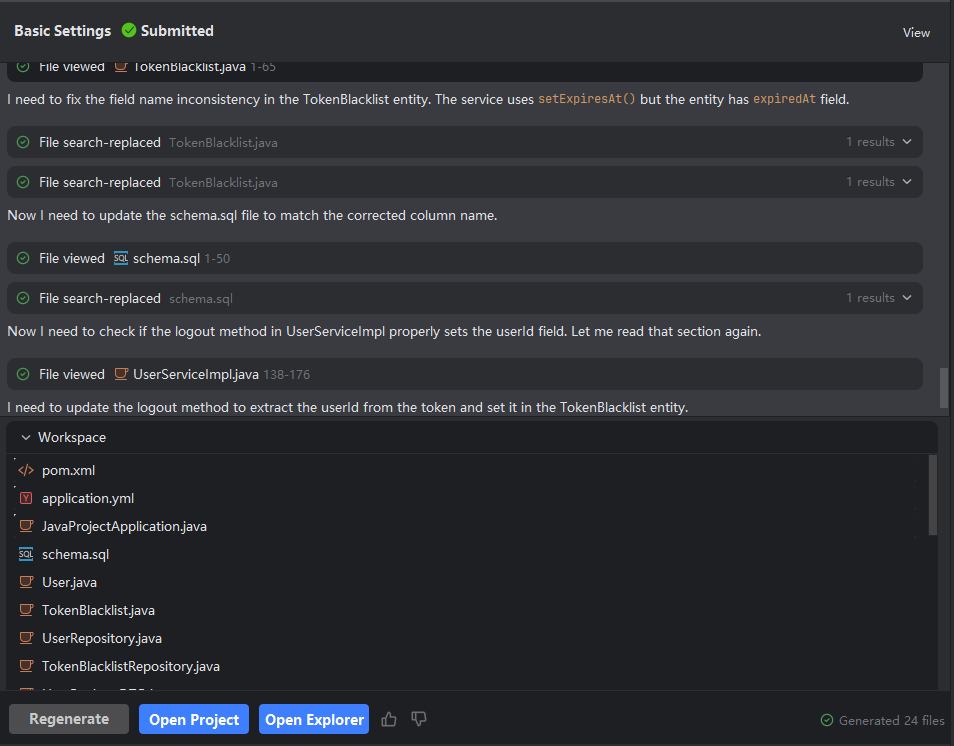
Java Web Project (Legacy Version)
- Step 4: Business logic (APIs)—directly displays the interfaces and logic corresponding to each module.
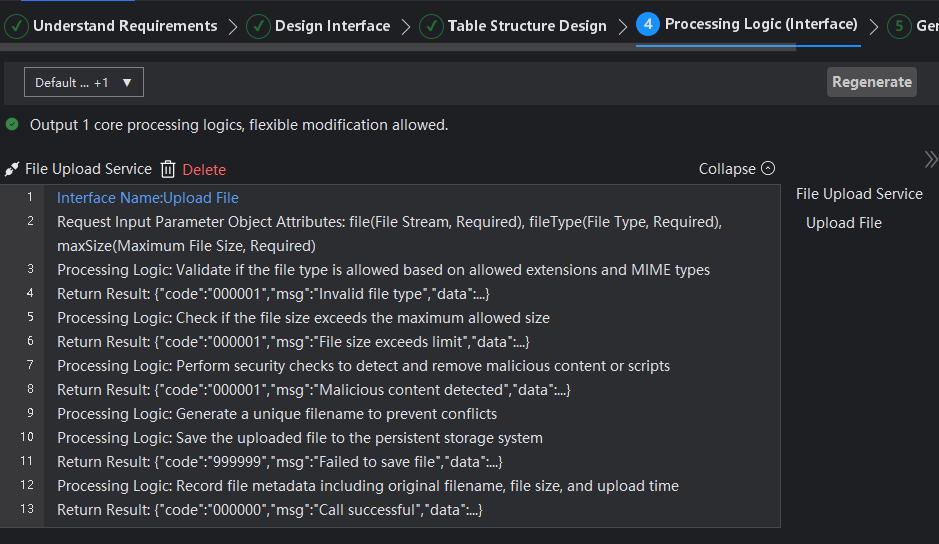
- Step 5: Generate the corresponding interface source code files according to the modules.