Java Skill Market
Introduction
The Java Skill Market (https://www.skillsjars.com/) stores Agent Skills packaged in JAR format on Maven. They can be used to customize agents and frameworks like Spring AI. Managing Agent Skills as packaged dependencies enables version control, grouping as transitive dependencies, and avoids repetitive copy-pasting of files. During the build process, skills are extracted from the project's dependencies into a directory readable by the assistant. The extracted directory is typically .skillsjars.
Add JARs Dependency Information
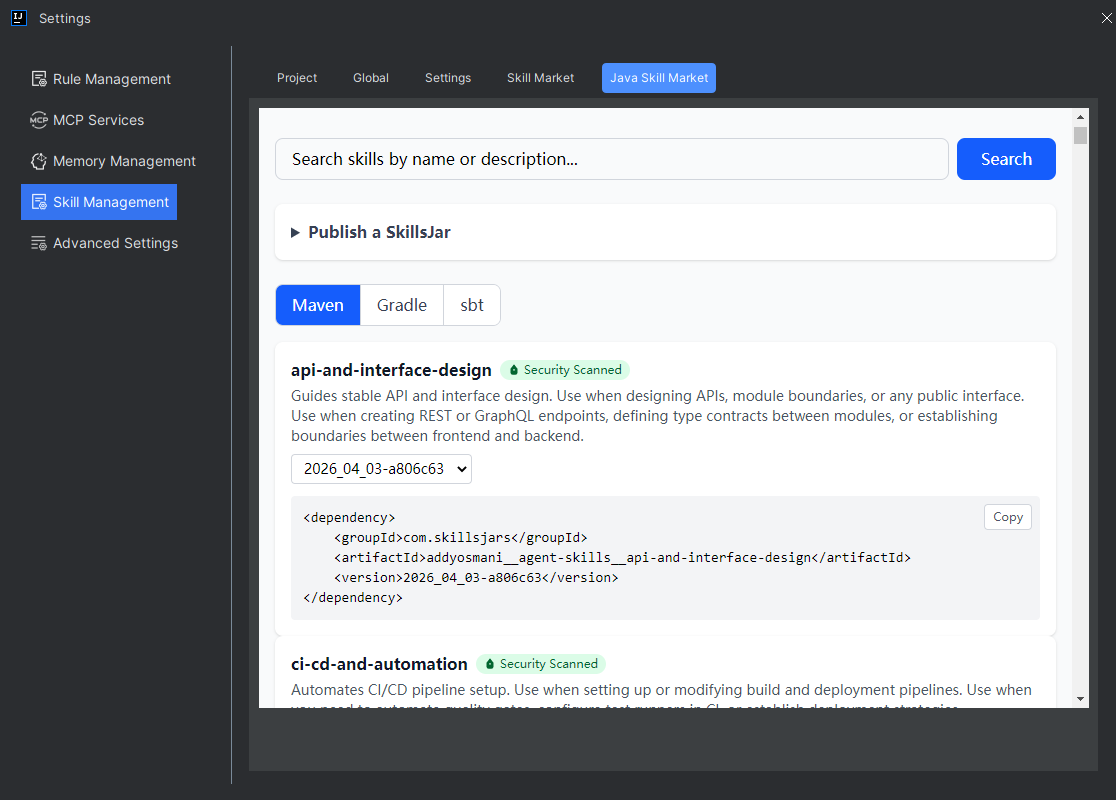
- Click “Settings > Skill Management > Java Skill Market”, select the matching JAR package information, and copy it.
Note: If you are using a Gradle project, please switch to Gradle first before copying.
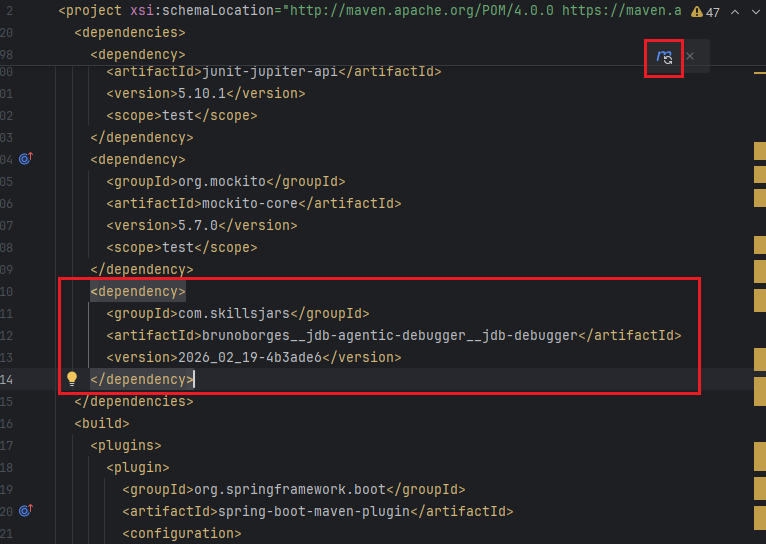
- This demonstration uses a Maven project. In the project's
pom.xmlfile, add the JAR package information. Then refresh Maven to pull these JAR package dependencies. No red errors indicate a successful pull.
Install Extraction Plugin
- If it is a Gradle project, add the following plugin information to
build.gradle.
plugins {
    id("com.skillsjars.gradle-plugin") version "0.0.2"
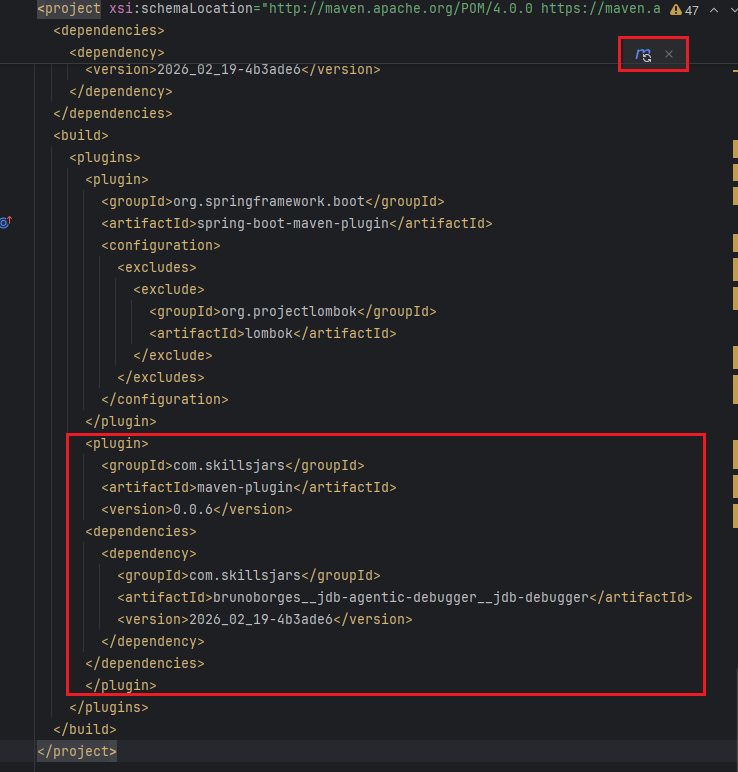
}- If it is a Maven project, add the following information to the
pom.xmlfile and refresh Maven. Note: You also need to fill in the Jars skill package information you pulled above here.
Execute Command to Extract Skills
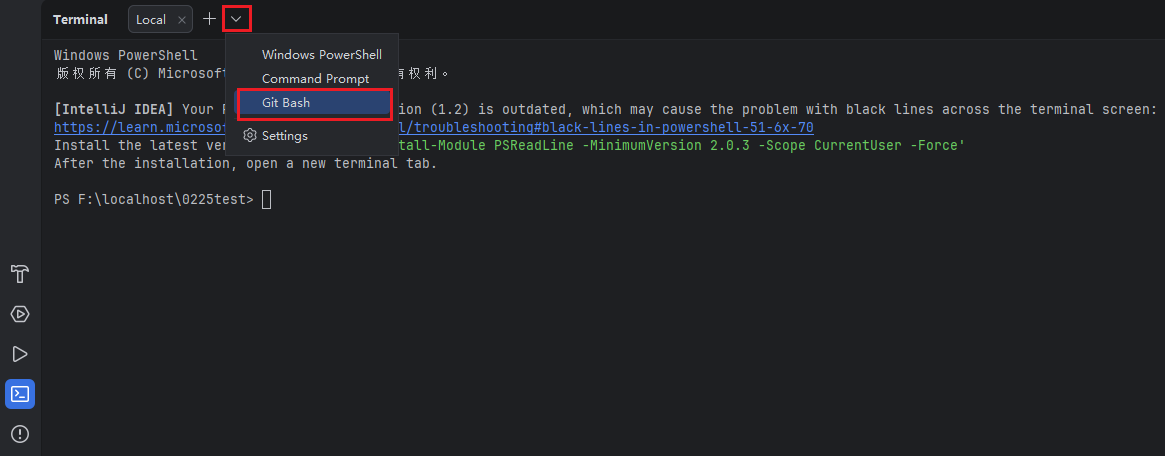
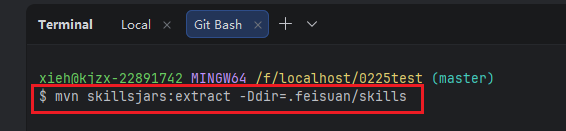
- In the terminal, select "Git Bash" to execute the command. Please select the command based on the project type.
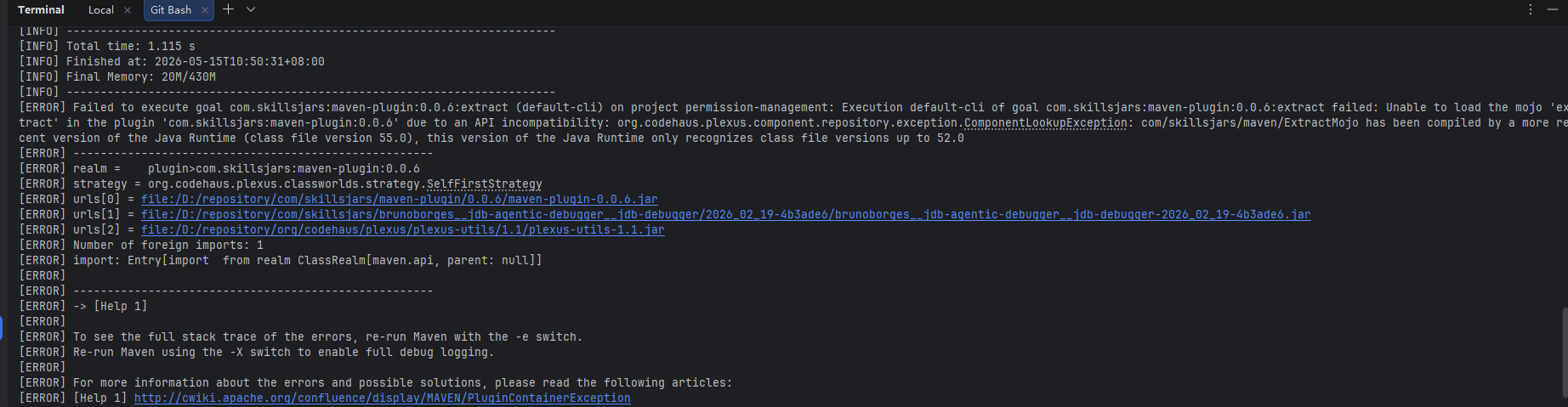
Note: When executing this command in the terminal, your local JDK version must be 21 or higher to succeed. If not, please use the steps in method 2 below.
- Gradle:
gradle extractSkillsJars -Pdir=.skillsjars - Maven:
mvn skillsjars:extract -Ddir=.skillsjars
Execution fails if the version is too low.
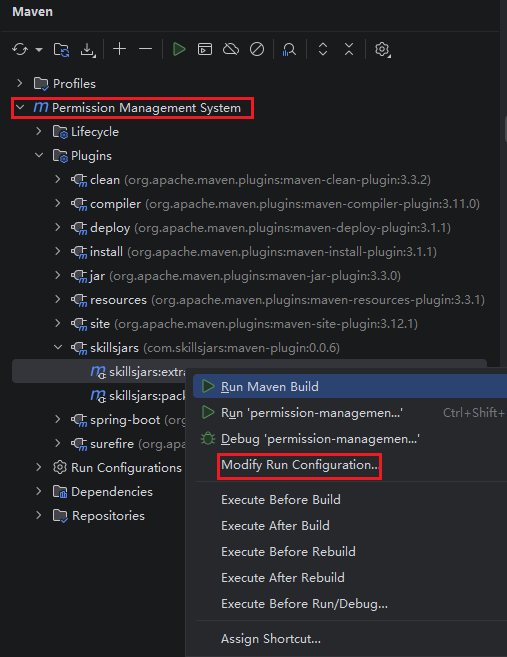
- Open Maven, expand "Plugins", then expand "skillsjars", select "skillsjars:extract", and right-click to select "Modify Run Configuration...".
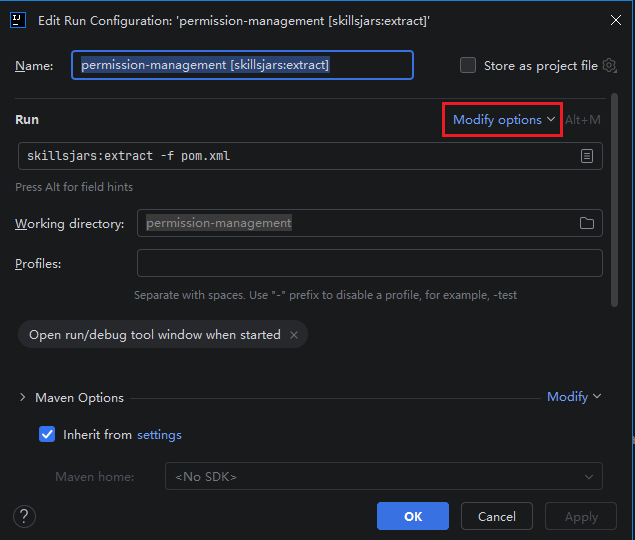
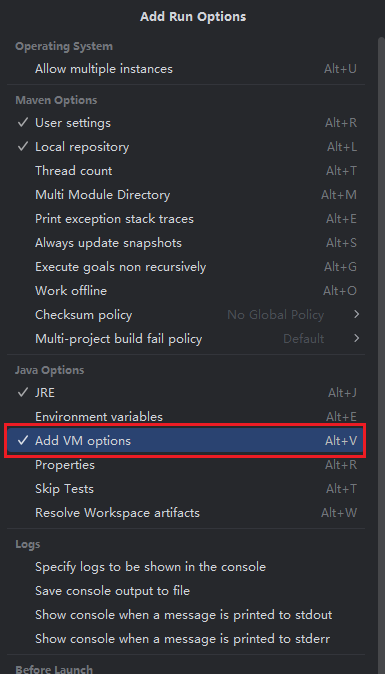
- Click "Modify options" and find "Add VM options" to check.
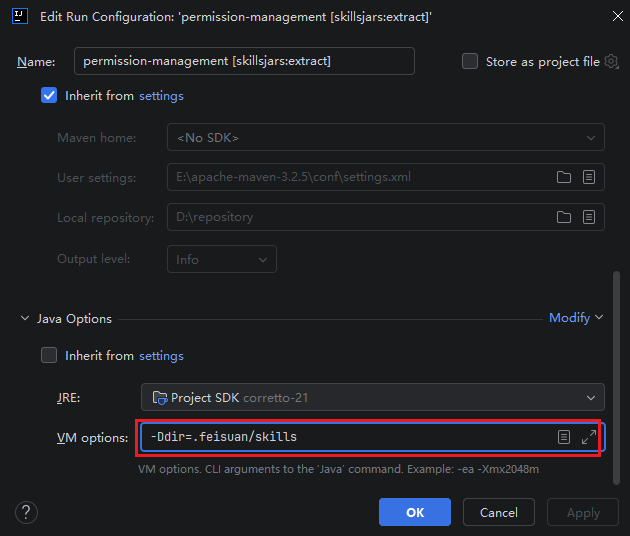
- Scroll down the page, find the
vm optionssetting, copy and paste the final content of the command here, then click "OK".
- Click "Run" on the project to extract the skills. A successful execution indicates the process is complete.
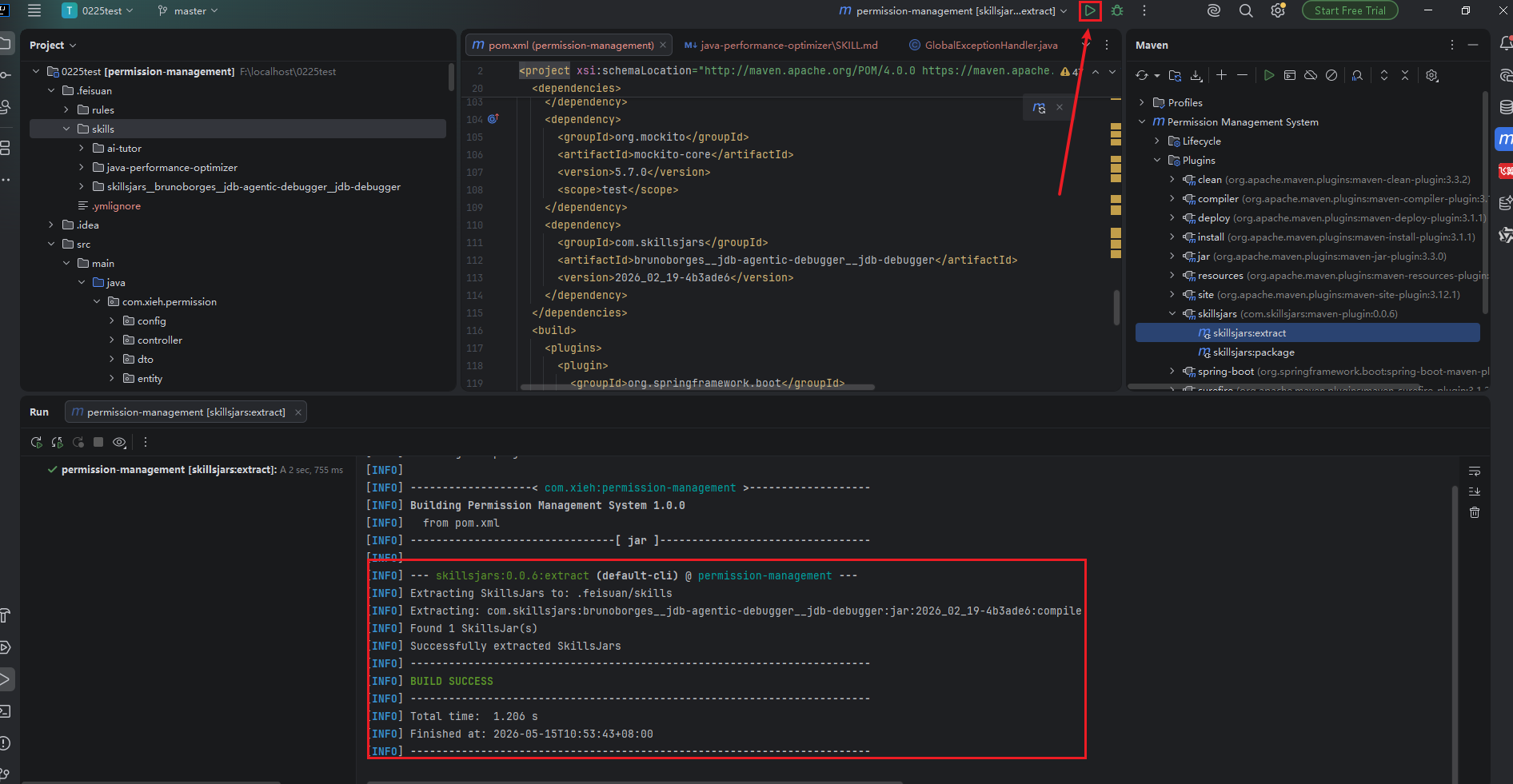
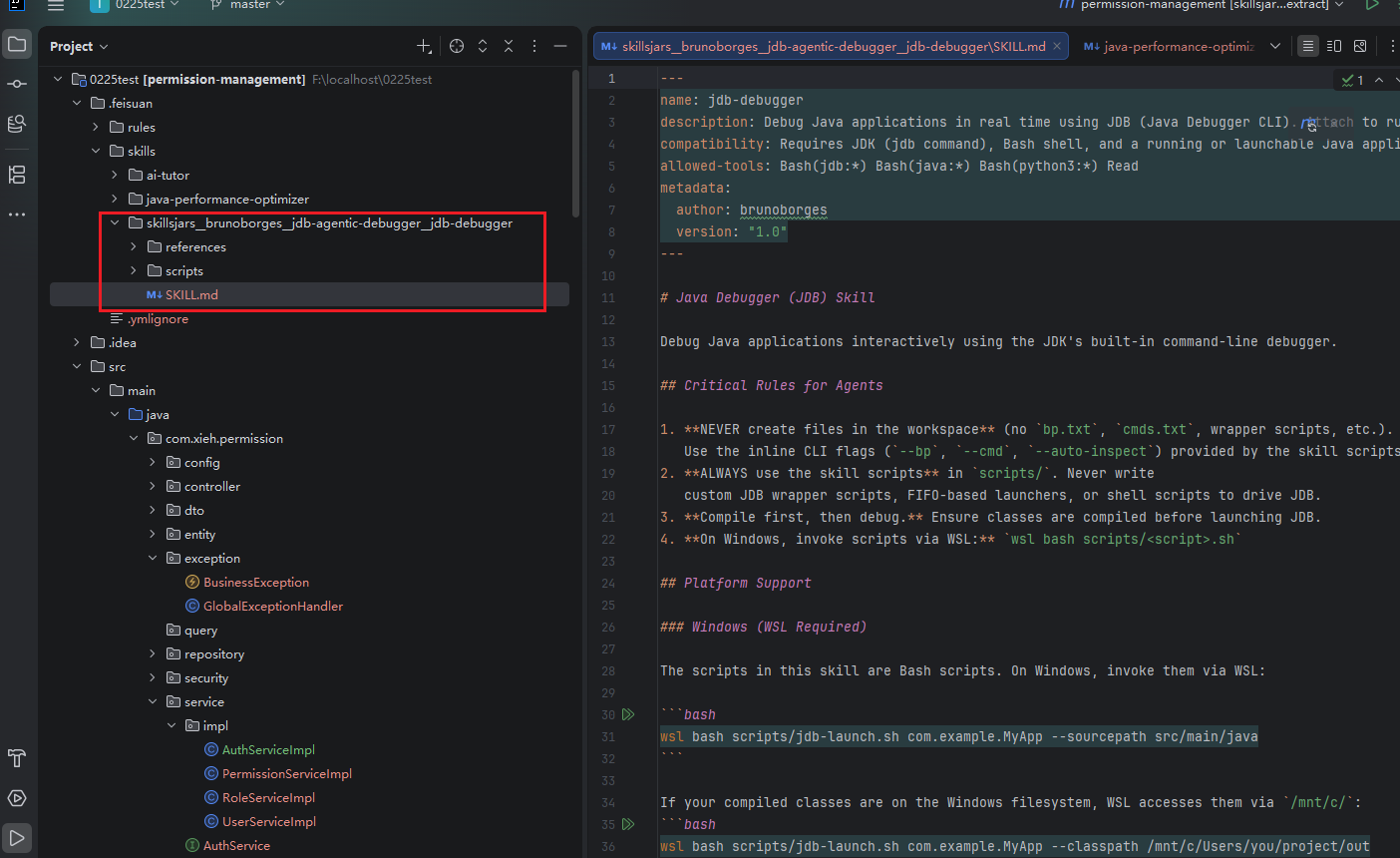
- Check that the skills have been extracted to the
.skillsjarsdirectory.