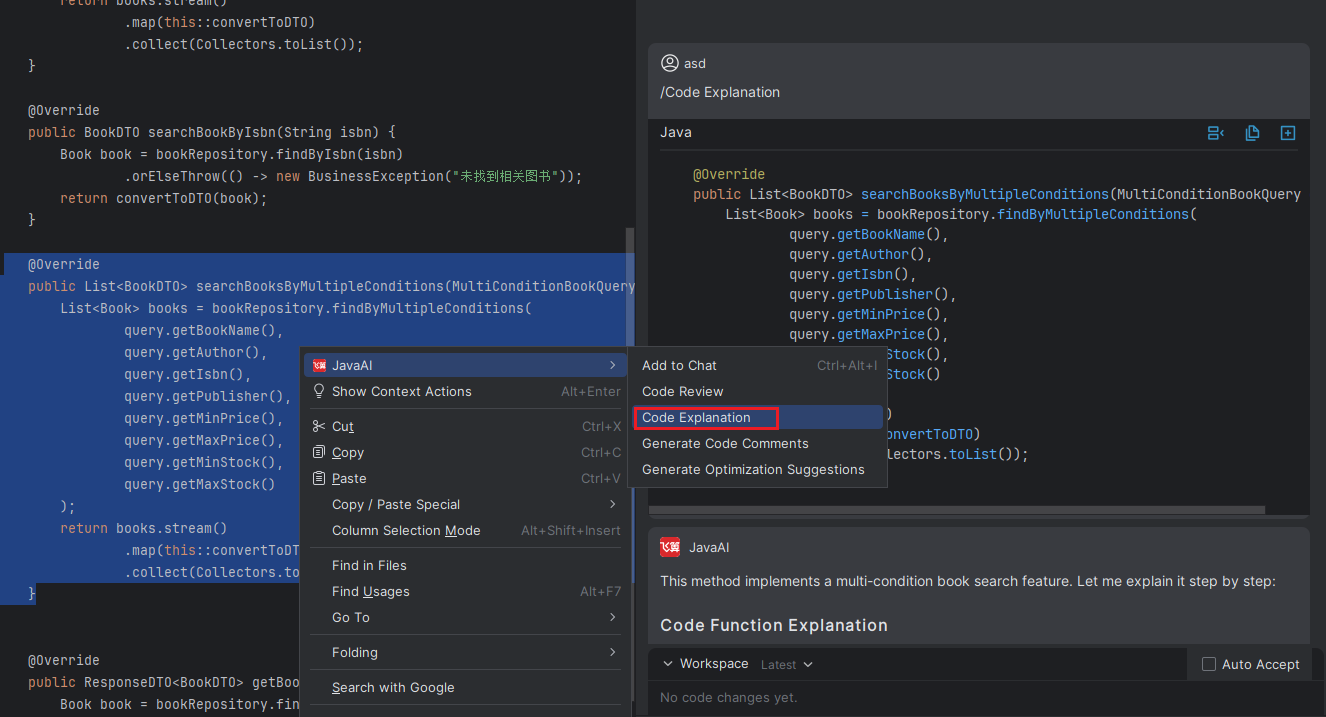
Explain Code
Introduction
When browsing project code, you may encounter parts that are difficult to understand. By using the "Code Explanation" function, you can quickly obtain detailed analysis of specific code segments. Simply provide your code snippet to Java Chat to get clear and understandable logical explanations, helping you more efficiently understand and continue development work.
Explain Code
Method 1: In the code editor, select the code method you want to explain, click the icon, and choose "Explain Code". The model on the right will then explain the meaning of the code.
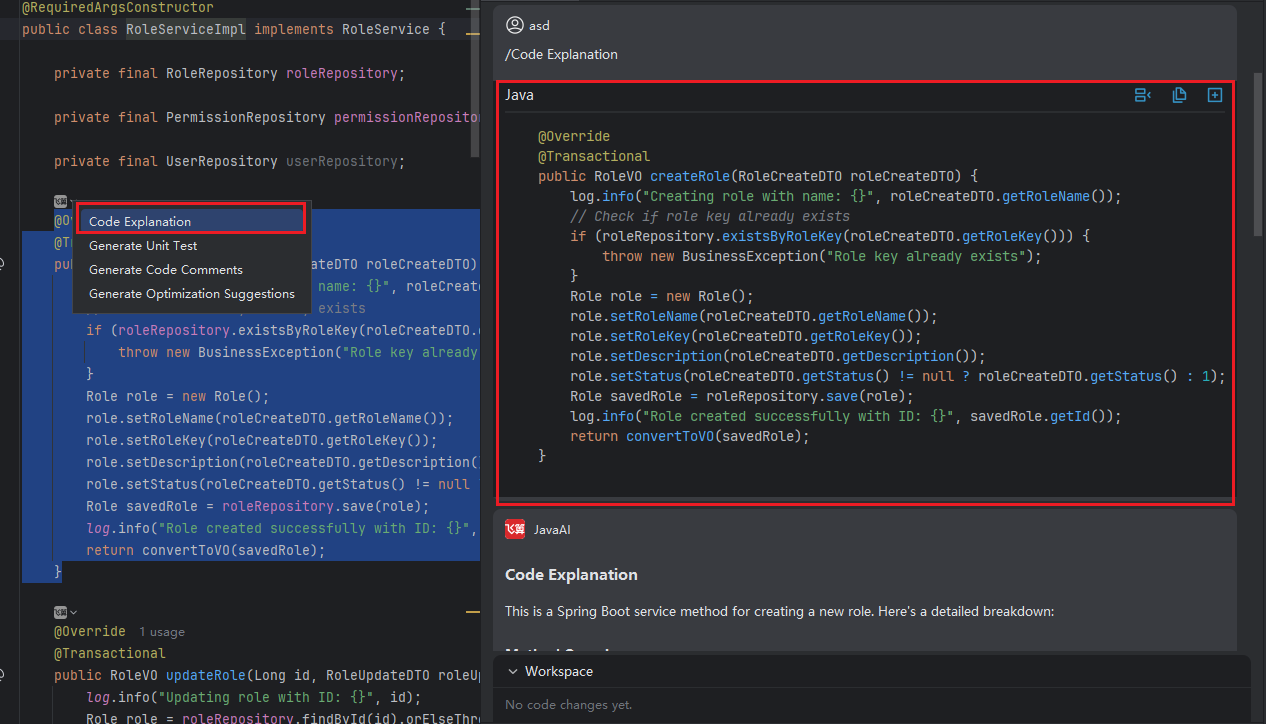
Method 2: Select the corresponding code snippet, right-click, and choose "JavaAI > Code Explanation". The model on the right will then explain the meaning of the code.