Set Interruption Conditions
Introduction
When using the "Smart Guide Java Web Project (New Version)" and "General Scenario" modes during the source code generation step, you can configure various interruption conditions, including Token consumption limits, model call counts, total execution duration, and exception retry counts. Setting these conditions reasonably can effectively prevent resource waste caused by tasks taking too long or consuming excessive Tokens, thereby significantly reducing usage costs.
Prerequisites: These interruption conditions are only effective during the source code generation step in "Java Web Project (New Version)" and "General Scenario" modes, and do not apply to other modes or steps.
Set Interruption Conditions
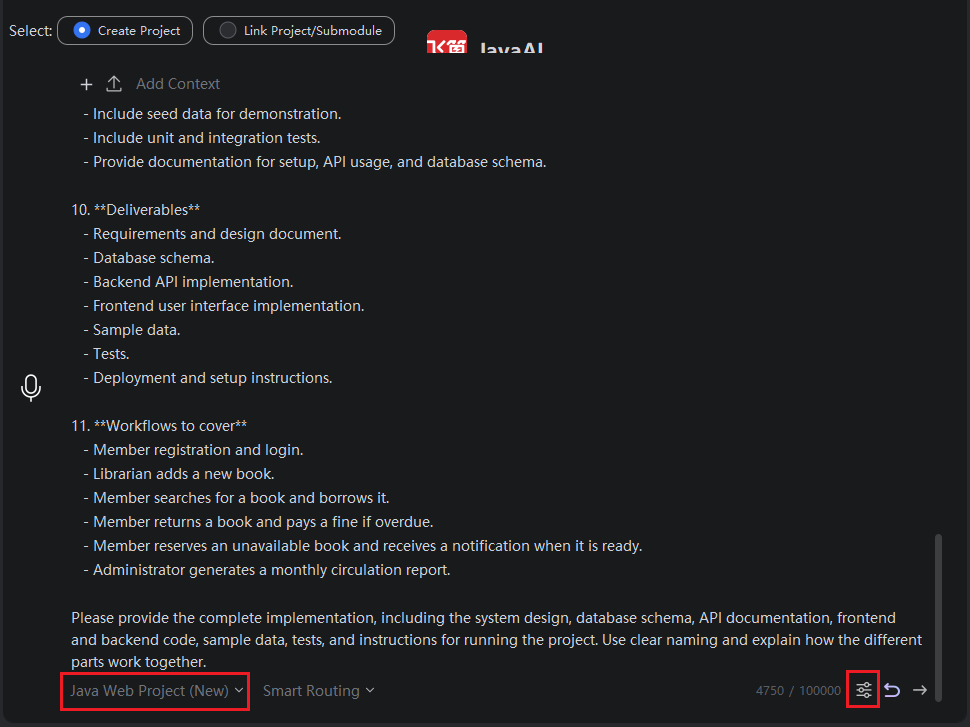
- Select the "Java Web Project (New Version)" or "General Scenario" mode, enter the task requirements, and then click "Set Interruption Conditions".
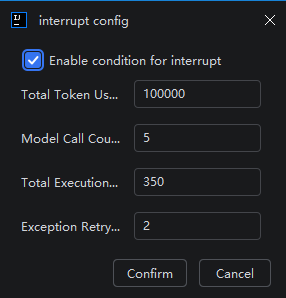
- Check "Enable Interruption Conditions", and then set reasonable interruption conditions according to your needs. When multiple conditions are set simultaneously, the task will be interrupted as soon as any one of them is met. Note: All windows share these interruption conditions.
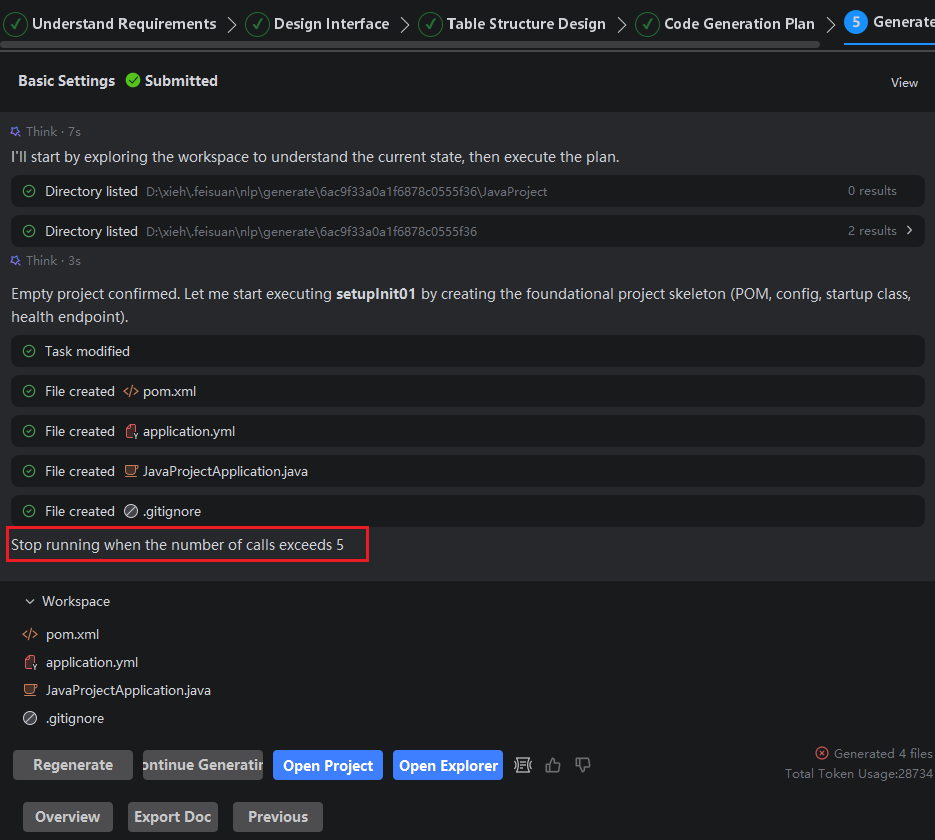
- Complete the other steps. During the source code generation in the final step, if an interruption condition is met, the task will be interrupted, and the page will display the reason for the interruption.