Setting Interruption Conditions
Introduction
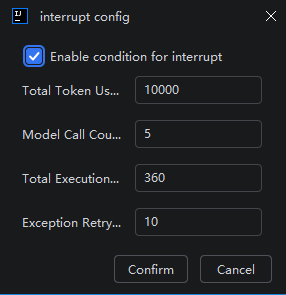
During intelligent session execution, you can configure various interruption conditions, including token consumption limits, model invocation counts, total execution duration, and exception retry counts. Properly configuring these conditions can effectively prevent tasks from wasting resources due to excessive execution time or overconsumption of tokens, thereby significantly reducing usage costs.
Setting Interruption Conditions
- In the input box, click the "Set Interruption Conditions" button.
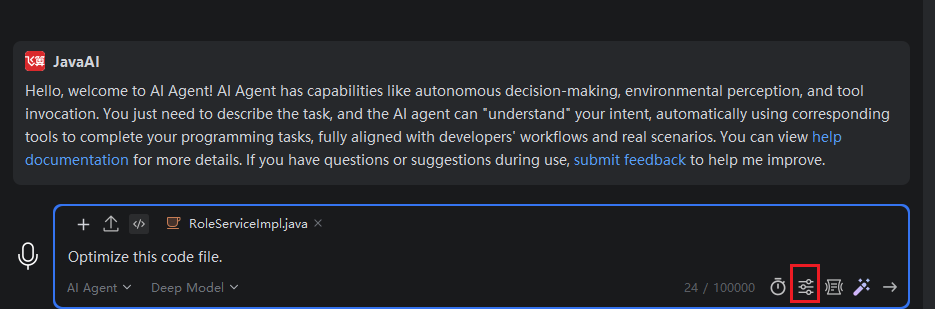
- Check "Enable Interruption Conditions", then set appropriate interruption conditions based on your needs. When multiple conditions are set simultaneously, the task will be interrupted if any one of the conditions is met. Note: All windows share the same interruption conditions.
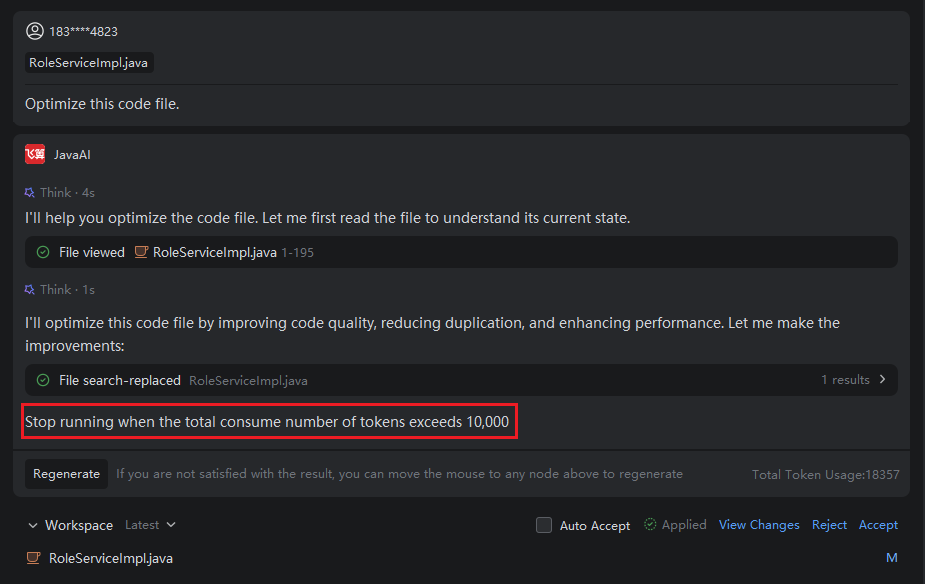
- Execute the task. When an interruption condition is reached, the task will be interrupted and the page will display the reason for interruption.