Add to Chat
Introduction
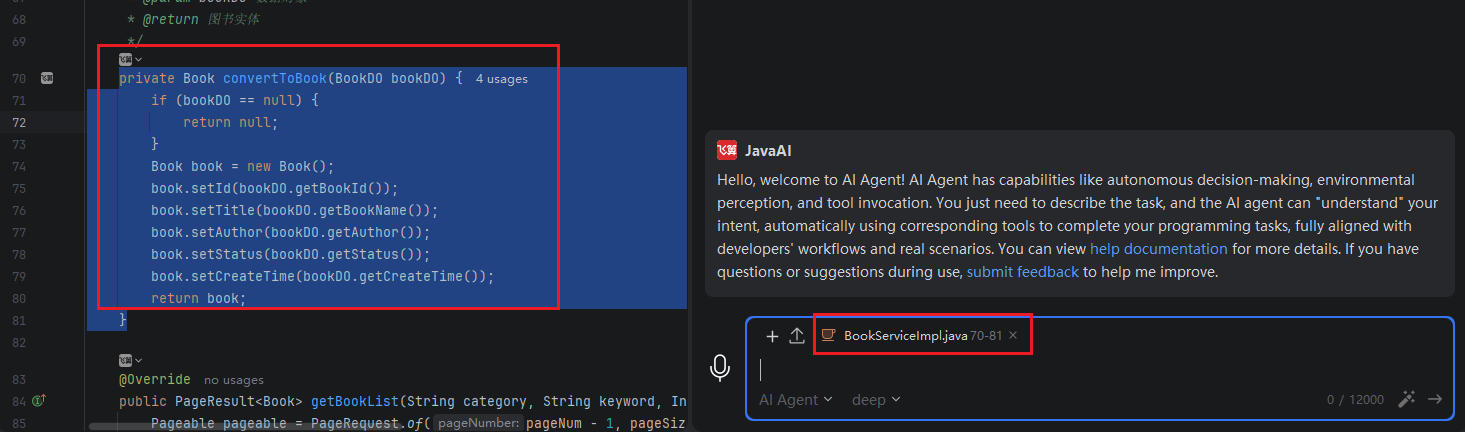
You can select a specific code snippet and add it to the chat box as context. Then, simply enter your requirements, and the model will complete the task based on this context.
Add to Conversation
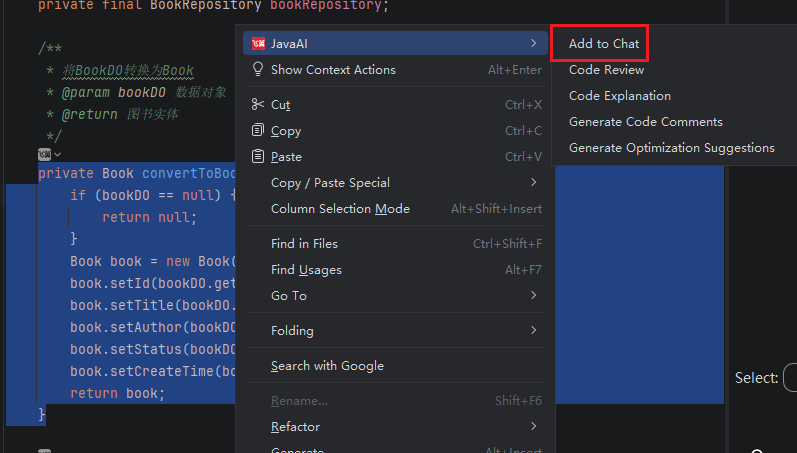
- Select the desired code snippet, right-click, and choose "JavaAI > Add to Chat".
- The associated context in the input box on the right will display the code snippet with the corresponding line numbers from the file. You can now enter your requirement description.