Context Compression
Introduction
In multi-turn conversations within Smart Chat, as the context content continuously accumulates, the model may "forget" earlier information, which in turn affects the accuracy of its responses and increases Token consumption. To address this, we have introduced the "Context Compression" feature. You can flexibly choose between "Auto" and "Manual" modes: with automatic compression enabled, the system will process it automatically when preset conditions are met; in manual mode, you can execute it on demand at any time. You can check the context usage rate to decide whether to compress. This feature not only effectively improves the accuracy of the model's responses but also significantly reduces Token consumption.
Auto Compression
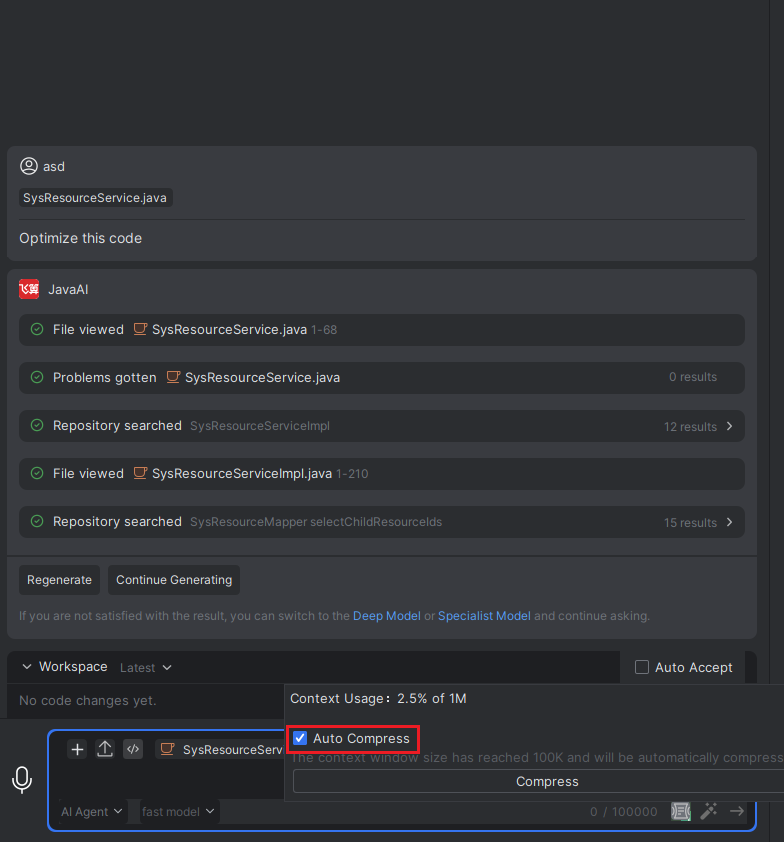
- In the input box, hover your mouse over the compression button, check "Auto Compression", and the context will be automatically compressed when it reaches the compression threshold.
Note: The automatic compression will be triggered when the current session's context window size reaches a certain number of K. This condition depends on the model selected for your current session, as different models have different thresholds. Automatic compression is seamless to the user interface, but it will improve the accuracy of subsequent responses.
Manual Compression
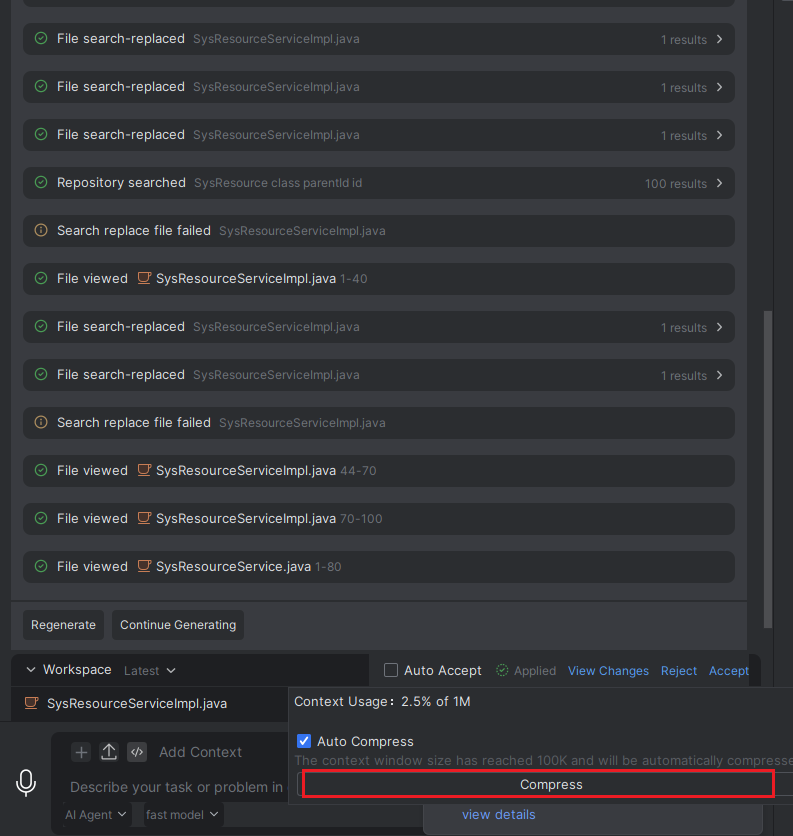
- In the input box, hover your mouse over the compression button to check the context usage rate. When the usage rate is too high, you can click the "Compress" button to compress it.
Context Usage Rate Explanation: 1M represents 1 million tokens, which is approximately equal to 3 million characters. Usage percentage calculation: Current context characters / (500000 * 3).
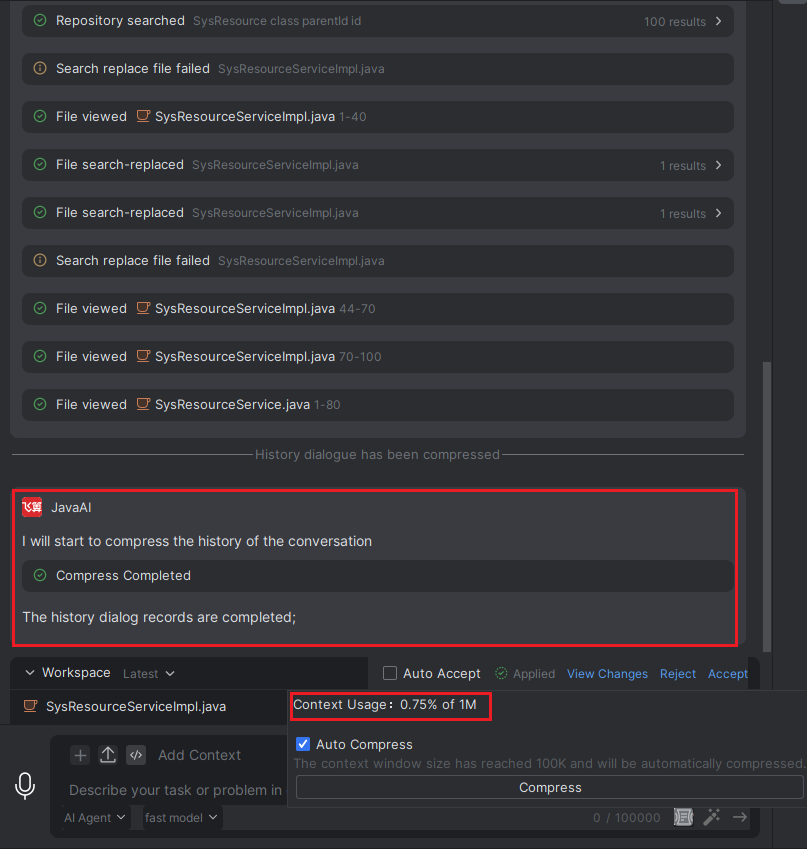
- When the page displays that compression is complete, the compression is successful. The context usage rate will decrease, and you can then continue to ask questions.