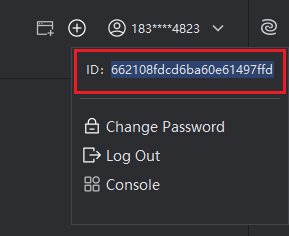
View User ID
Introduction
If you encounter any issues while using the app, please provide your User ID to the Assistant. This allows us to look up your account details and assist you in resolving the problem.
How to View User ID
- Click on your profile avatar, then double-click the ID to select it. Press Ctrl + C on your keyboard to copy.