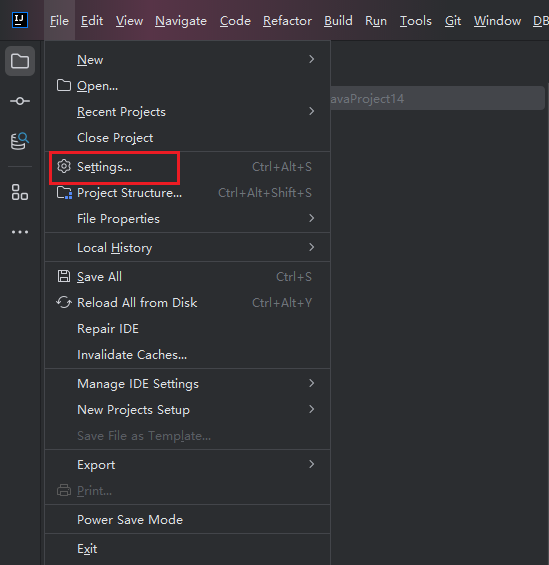
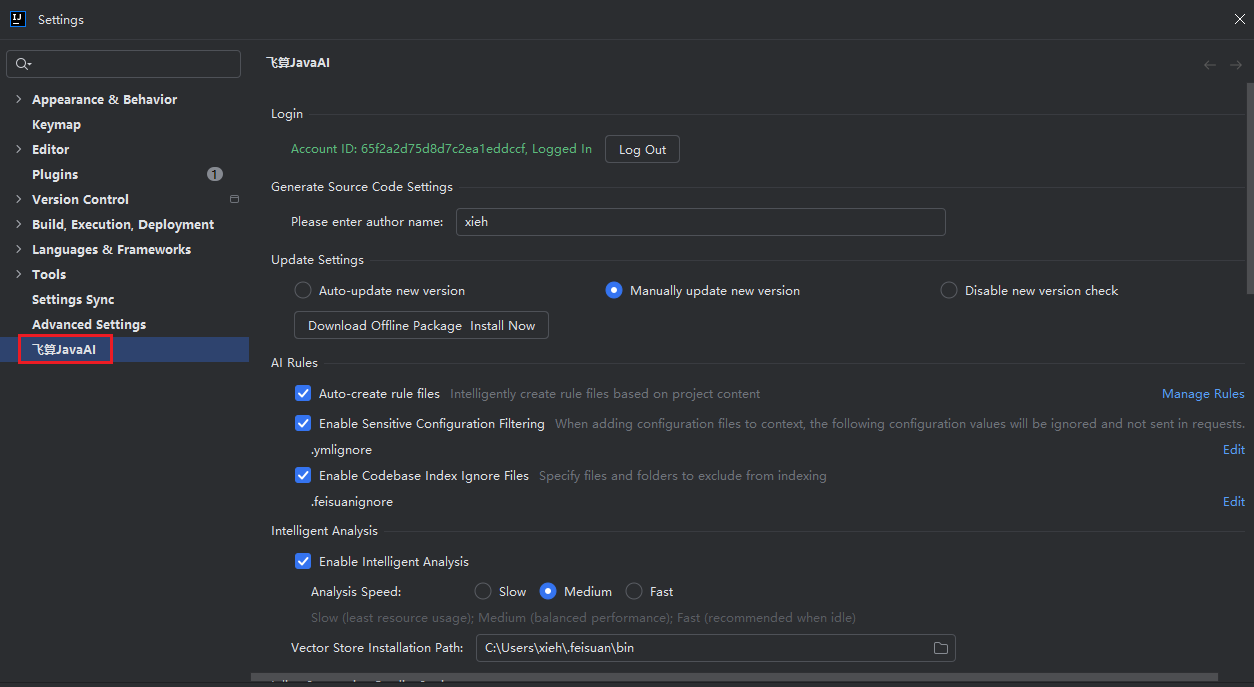
Open Advanced Settings
Introduction
This article explains how to open the advanced settings page of FeiSuan JavaAI, then set corresponding operations.
Method One: Open Within Plugin
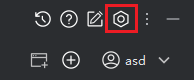
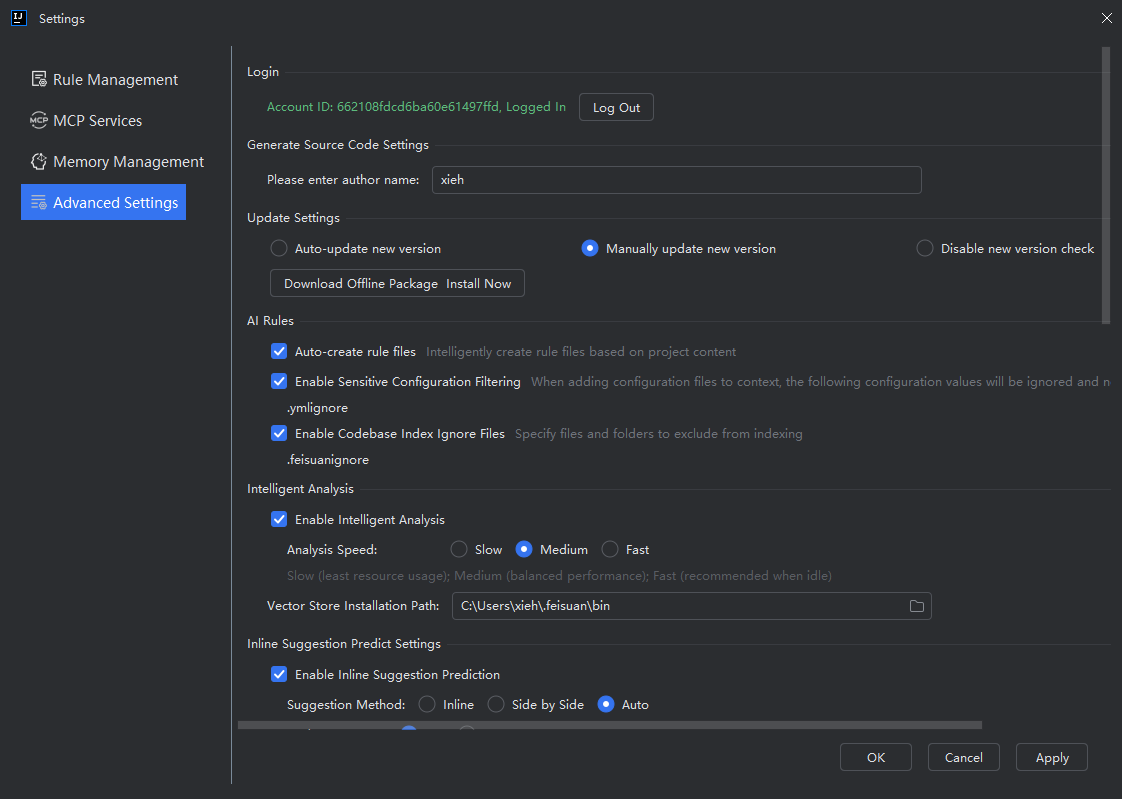
- Click "Settings" in the top-right corner, then select "Advanced Settings > Other Plugin Settings."
Method Two: Open in IDEA Settings
- Open "File > Settings" in the upper left corner of IDEA, then click "FeiSuan JavaAI" to enter the advanced settings page.