Code Comments
Introduction
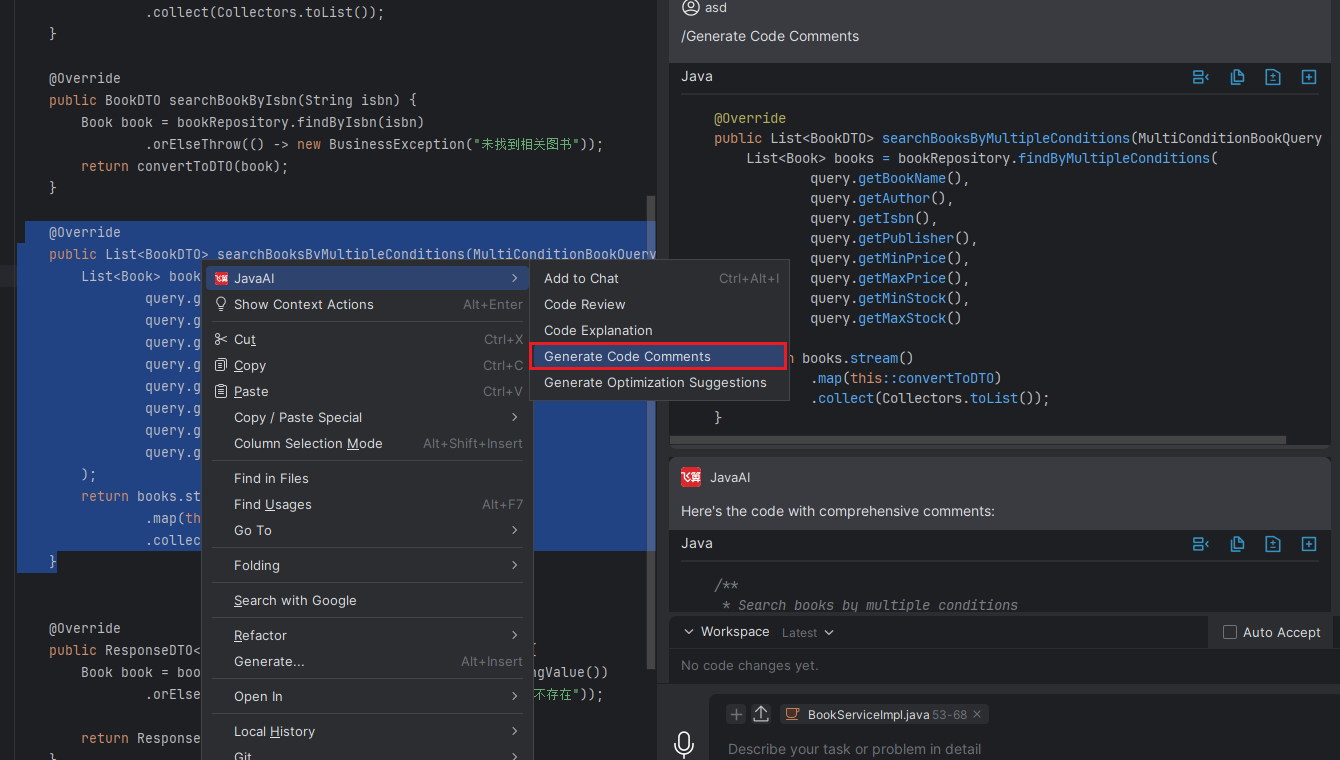
Using the "Generate Code Comments" feature, you can quickly add detailed comments to selected code snippets. Simply select the target code, and the system will automatically analyze and generate clear, accurate comment content. After generating comments, you can also insert the generated code content or copy and paste it back into the original code block, improving code readability and maintainability.
Generate Code Comments
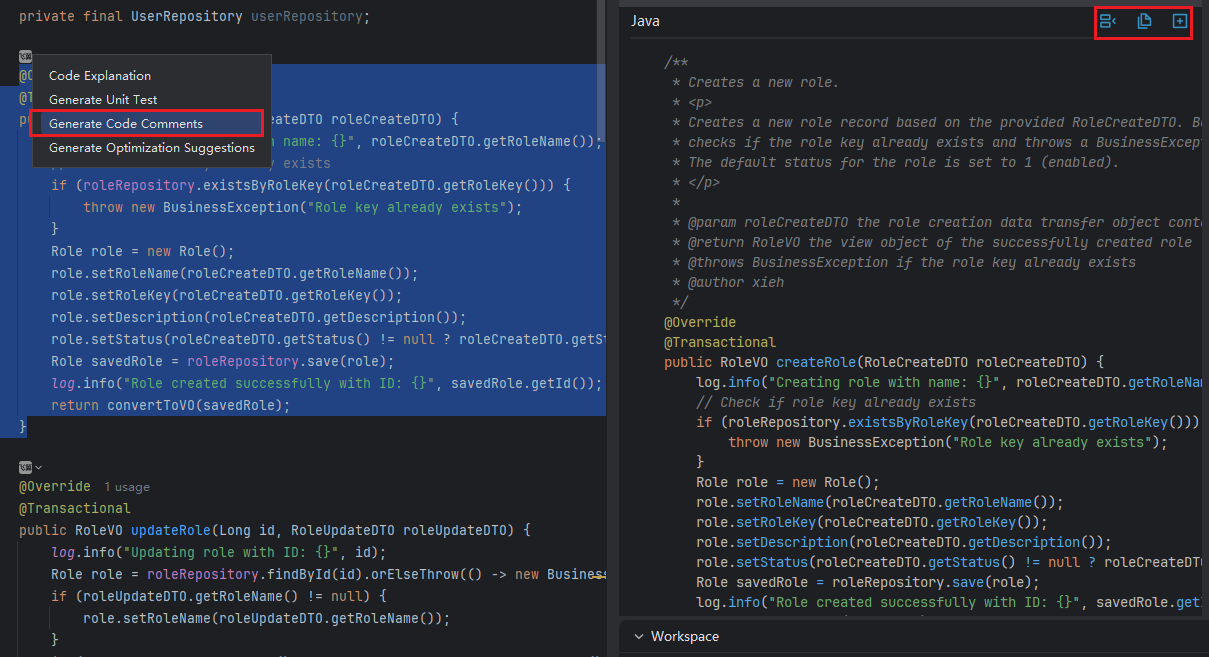
Method 1: In the code editor, click the icon and select "Generate Code Comments". The generated comments will be displayed in the Java chat panel on the right, and you can click "Insert" to add them to the code.
Method 2: Select the corresponding code snippet, right-click, and choose "JavaAI > Generate Code Comments". The model on the right will then provide the response.